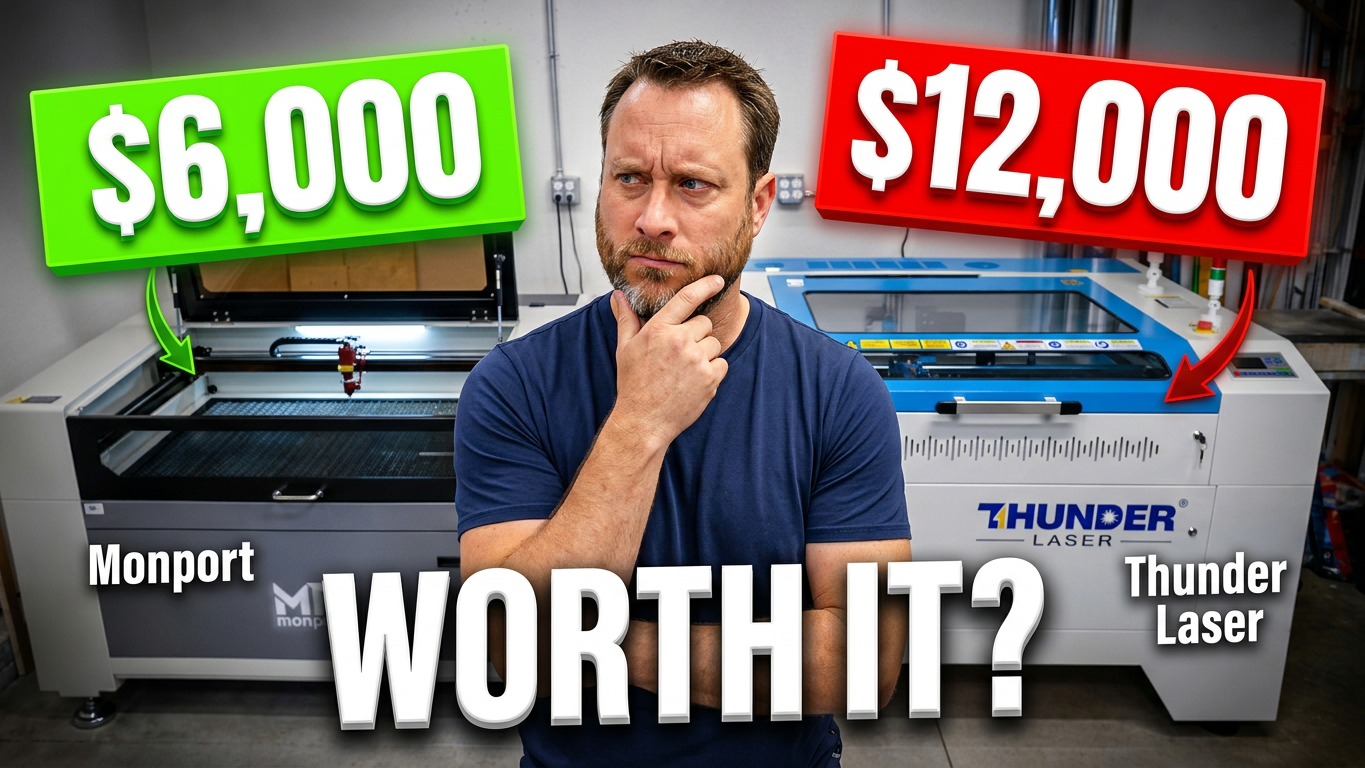
When I first started comparing the Thunder Laser Nova Plus 80W RF and the Monport 100W CO₂ laser, I thought I already knew what the biggest difference would be.
The Thunder would engrave better.
That seemed obvious.
After all, the Thunder costs roughly twice as much. Surely that extra money had to show up in the finished product.
After spending months using both machines side by side in my shop, I realized I was focusing on the wrong thing.
The engraving quality wasn't the biggest difference.
It was the easiest difference to see.
The biggest differences are the ones you experience every single time you turn the machine on.
Watch the full comparison here:
On Paper, the Monport Looks Like the Better Deal
If you compare specifications alone, the Monport is hard to ignore.
It offers:
- 100W glass CO₂ laser
- Larger work area
- Significantly lower price
- Excellent cutting performance
Looking only at those numbers, it's easy to wonder why anyone would spend an additional $6,000 on a Thunder.
That's exactly the question I wanted to answer.
Not by reading brochures.
Not by repeating manufacturer claims.
By actually owning and using both machines.
The Difference Isn't the Laser. It's Everything Around It.
Most laser reviews spend nearly all their time talking about wattage, engraving speed, or cutting performance.
Those things matter.
But after using these machines daily, I believe they overlook something even more important.
Everything surrounding the laser.
As I spent more time with both machines, I started noticing dozens of small differences that never appear on a specification sheet.
Things like:
- Overall engineering
- Motion system design
- Gantry construction
- Ease of setup
- Z-axis movement
- Documentation
- Spare parts
- Customer support
- Daily workflow
None of these individually make the Thunder worth another $6,000.
Together, they create an entirely different ownership experience.
Engineering You Notice After Months, Not Minutes
One of the first things I noticed was the way each machine moves.
Both lasers accurately position the beam.
Both produce quality results.
But they're engineered differently.
Thunder even manufactures its own rail system because the company wasn't satisfied with existing off-the-shelf options.
That's not the type of feature you'll appreciate during an unboxing video.
It's something you begin noticing after hundreds of jobs.
The same is true for mirror alignment.
Both machines are aligned before leaving the factory, but there's an important difference.
Thunder is designed to arrive ready to run with little to no adjustment.
With the Monport, mirror alignment is something you'll likely need to verify after shipping, and in my own experience, it began drifting sooner than I expected.
That doesn't make the Monport a bad machine.
It's simply another example of where additional engineering can make ownership easier over time.
Even the Small Details Feel Different
Another area that stood out was the Z-axis.
Both machines raise and lower the work bed.
Both accomplish the same task.
Yet using them back to back, the Thunder simply felt smoother and more refined.
It's difficult to demonstrate on camera because it's more about feel than appearance.
These aren't dramatic differences.
They're subtle.
But when enough subtle improvements are combined, they become surprisingly noticeable.
RF vs. Glass Tube: Understanding the Real Difference
Perhaps the biggest technical difference between these two machines is the laser itself.
The Monport uses a traditional 100W glass CO₂ tube.
The Thunder uses an 80W RF metal tube.
Many buyers assume more wattage automatically means better engraving.
That's only part of the story.
Wattage tells you how much energy the laser can produce.
It doesn't tell you how precisely that energy is delivered.
An RF laser fires extremely fast pulses that create a smaller, more controlled beam.
That allows it to produce finer engraving detail, sharper edges, and cleaner definition on intricate artwork.
Glass tube lasers excel at cutting and provide tremendous value.
RF lasers excel at precision.
Both have strengths.
The right choice depends on what you're making.
The Side-by-Side Test
Theory is helpful.
Real-world results matter more.
To compare both machines fairly, I engraved the exact same custom needle holder for my daughter using:
- The same design
- The same material
- The same settings where appropriate
At first glance, both pieces looked excellent.
In fact, I would happily sell products made on either machine.
The differences only became noticeable when examining the smallest details.
Areas like the eyes, nose, and fine engraved lines appeared just a little cleaner on the Thunder.
Edges looked slightly sharper.
Fine detail appeared more defined.
It's not a night-and-day difference.
Most customers may never notice.
But when you're producing premium engraved products, those small improvements begin to matter.
Ownership Goes Beyond the Machine
One thing that genuinely surprised me wasn't the hardware.
It was everything Thunder provides after you buy the laser.
Monport includes the essentials, including a manual and basic documentation.
Thunder goes much further.
The company provides extensive learning resources, detailed documentation, replacement parts, accessories, and an active user community.
These aren't exciting features when you're placing an order.
They become incredibly valuable the first time you encounter a problem.
Thunder also includes materials and accessories that help you begin learning the machine immediately instead of searching for everything yourself.
It's another example of thoughtful engineering extending beyond the laser itself.
Why Customer Support Matters
Support is one of those things people rarely think about until they need it.
I recently contacted Thunder with a question about my machine.
They responded in less than five minutes.
When I replied, they answered again within minutes.
It felt less like emailing customer support and more like having a conversation.
That level of responsiveness matters when your laser produces income.
Every hour your machine isn't running is an hour you're not creating products.
You're not fulfilling orders.
You're not generating revenue.
Imagine your laser earns your business approximately $500 each day.
A week waiting on parts suddenly becomes thousands of dollars in lost production.
That's when support stops being a convenience and becomes part of your return on investment.
Thunder also stocks replacement parts in the United States, helping reduce downtime when repairs are needed.
So... Is the Thunder Worth Another $6,000?
That depends on your situation.
If you're starting out, working within a budget, or primarily cutting materials, the Monport delivers exceptional value.
It's capable of producing beautiful work and can absolutely help build a successful business.
But if your laser is a core part of your business, the Thunder begins to justify its premium in ways that aren't immediately obvious.
Not because of one spectacular feature.
Because of dozens of thoughtful decisions that improve the experience every day.
Better engineering.
More refined movement.
Sharper engraving.
Excellent documentation.
Fast customer support.
Reduced downtime.
Greater confidence.
Individually, none of those are worth $6,000.
Combined, they create a machine that's designed not only to produce quality work, but to keep producing it consistently for years.
My Final Thoughts
When I started this comparison, I believed the engraving quality would explain the price difference.
After living with both machines, I changed my mind.
The engraving is simply the most visible difference.
The real value comes from everything you don't immediately notice.
It's in the engineering.
The workflow.
The reliability.
The support.
And ultimately, the confidence that comes from knowing your machine is ready to work when you are.
If you're trying to decide between these two lasers, I hope my experience helps you make a more informed decision.
If you've used either machine, I'd love to hear your thoughts.
Leave a comment on the video and let me know which laser you would choose and why.
▶ Watch the full Thunder Laser vs. Monport comparison here:
Don't Forget to Check Out The Free Laser Settings Library
One of the biggest challenges after buying a laser isn't learning how to use the machine. It's figuring out the right settings for every material.
How fast should you engrave maple?
What power should you use on MDF?
How many passes does 1/4-inch birch plywood need?
Those questions can take hours of testing, wasting both time and material.
To help shorten that learning curve, I've created a growing Laser Settings Library that includes real-world settings I've tested in my own shop. Whether you're engraving, cutting, or experimenting with new materials, the goal is to give you a reliable starting point instead of beginning from scratch.
The library currently includes settings for popular materials and continues to grow as I test more combinations across different laser machines.
If you own a Thunder, Monport, or another CO₂ laser, be sure to check out the library before running your next project. It could save you time, reduce wasted material, and help you get better results faster.
👉 Browse the Laser Settings Library here: Free Laser Settings Library